Ready to import your site to Webflow?
No rebuilding required • Pay per page • One-time payment
Convert Any Website into a Webflow Site Without Rebuilding a Single Page
Paste your page's URL, verify you own it, and we'll migrate it into Webflow with pixel-perfect accuracy. No rebuilding required.
Request a Free Trial
Get 3 free imports to evaluate Website Importer for your team.
Perfect For These Scenarios
Don't rebuild from scratch. Import and scale with Webflow.
From Lovable to Webflow
Built your MVP on Lovable or Replit? Love the site but need Webflow's power for scaling, CMS, and professional hosting?
Migrate from WordPress
Tired of WordPress maintenance, plugin conflicts, and slow performance? Move to Webflow without rebuilding everything.
Any Platform to Webflow
Got a site on Wix, Squarespace, Bubble, or custom HTML? Import it to Webflow and unlock professional features without starting over.
Don't waste weeks rebuilding what you already have
Import Your Site NowFree to install • No credit card required • Pay only when you import
See It in Action
Watch how Website Importer transforms any website into Webflow-ready code in seconds
We converted this template Templatemo Template into Webflow in under 60 seconds with pixel-perfect accuracy.
See Real Import Results
Compare original sites with their Webflow imports. Click to see the difference yourself.
Open in Webflow Designer
Browse all imported pages in the Webflow Designer. See the structure, inspect elements, and verify the quality yourself. (for preview, turn on the Custom Code toggle)
View in Designer (Read-Only)We handle AI-generated sites from tools like v0, Lovable, and Bolt — as well as regular HTML/CSS sites built with any framework — and convert them to Webflow for easy future editing.
Convert Your SiteHow Much Will You Save?
Compare manual development vs. Website Importer automation
What We Promise
Every import comes with our quality guarantee
Exact Layout
Your website structure is duplicated with pixel-perfect accuracy
All Scripts & Styles
All JavaScript, CSS, and images are reused as is and functional
Text Content
All text, headings, and paragraphs are preserved exactly
What to Know
We're honest about our limitations to set proper expectations
Import Speed
Time required to import your site depends on many factors, including your network, your computer, and Webflow's servers. This is solely dependent on Webflow's infrastructure.
Complex Sites
Very complex sites with a large number of elements may require additional processing time. We handle most cases, but extreme complexity may affect performance.
SPA & Client-Side Routing
Single-page applications with client-side routing have limited support. Traditional static websites and server-rendered sites work best.
Dynamic Content
Forms, comments, and other dynamic functionality require manual setup after import to ensure proper integration.
How It Works
Import any website in 4 simple steps
Paste URL
Enter any website URL into the plugin
Get Quote
See instant pricing based on site complexity
Complete Payment
Pay per page, one-time payment
Auto-Import
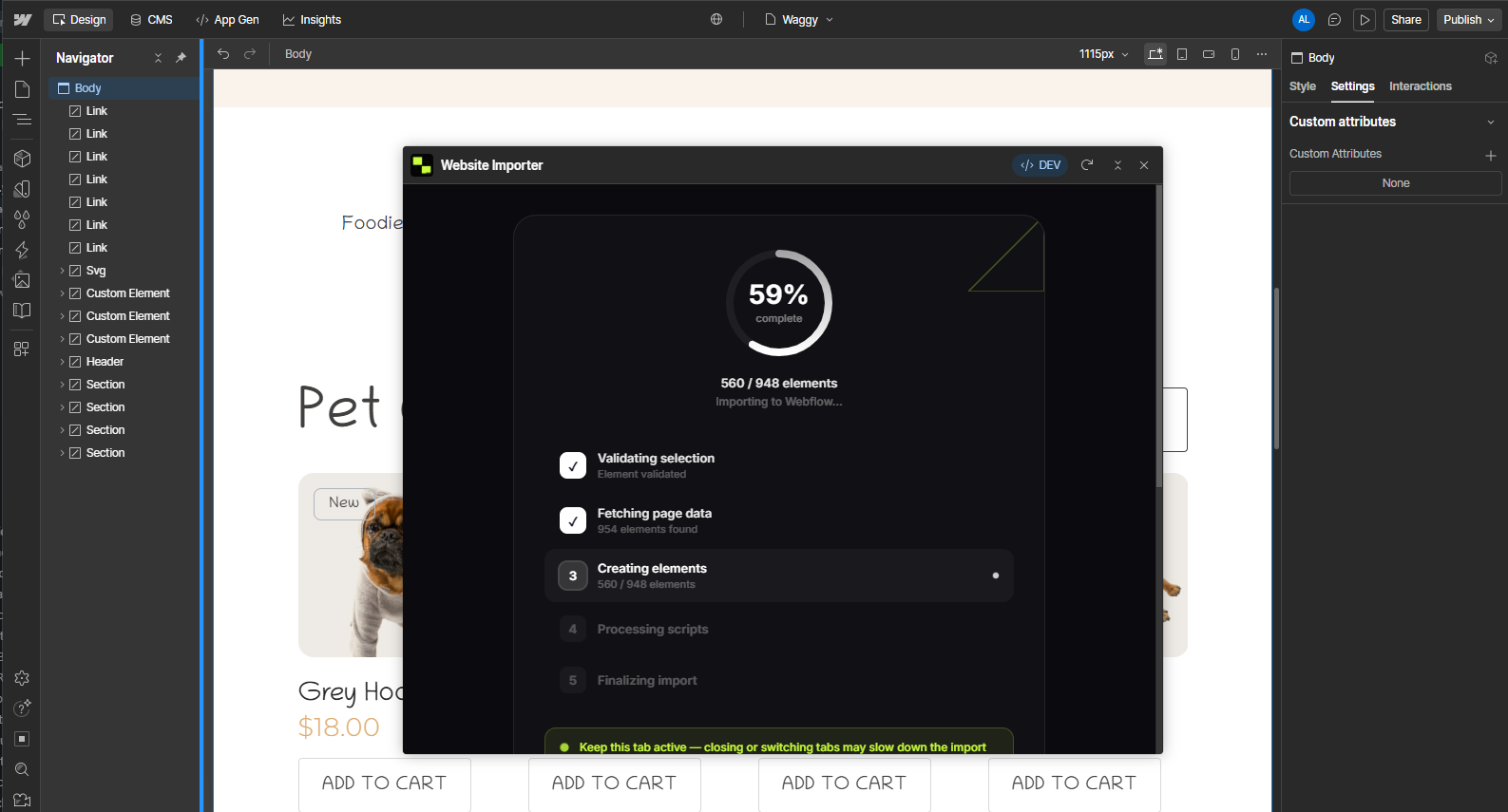
Watch as your site builds itself in Webflow
Frequently Asked Questions
Common questions about importing sites to Webflow
I imported the site but the design doesn't look like the live site. What's wrong?
Please make sure you've added the markup that the tool instructed you to use in the <head> element and before the </body> closing tag from the Webflow page settings.
These code snippets are essential for loading styles and scripts that make your imported site look correct.
The code for page settings is longer than 5,000 characters. Can I still use it?
This is a Webflow limitation - page settings code blocks are limited to 5,000 characters. To bypass this, you'll need to host your code on a CDN (like CodeSandbox, GitHub Pages, or any CDN service) and reference it from there.
Example: Upload your code to a CDN and include it via <script src="your-cdn-url.js"></script>
I can't edit elements like in a regular Webflow site. Why?
We use custom Webflow elements to make imports more flexible. Instead of editing from the Webflow Designer canvas, you edit content from the element settings panel.
This approach handles complex HTML structures that regular Webflow elements can't support (like <div>text</div>), which is common in coded sites but not allowed in native Webflow divs.
Learn more about custom elements in Webflow. You can convert elements to native Webflow components after import if needed.
How do I migrate images and other assets?
We haven't yet implemented the automatic image importer tool, but we're actively working on it.
For now, you'll need to manually download images from your source site and upload them to Webflow Assets. Then update the image references in your imported elements.
Pro Tip: Bulk Image Downloader
In the meantime, you can use Image Magnet — a free tool that allows you to download all images from your old site in bulk, making the migration process much faster.
Automatic image import is coming soon in a future update.
The import failed but I already paid. What should I do?
We're sorry you experienced an issue! Please send us an email with your order details and we'll be happy to help resolve it.
Contact Support:
Email: contact@kvolts-lab.com
Include your Stripe invoice number and a description of the issue for faster resolution.
Still have questions?
Ready to Save Hours of Work?
Join thousands of designers and developers who've already switched to Website Importer
Free to installPay per pageNo subscription